
Create Your First Routine in Rack
Two ways to build a reusable workout template: the one-tap "Add to Routines" shortcut on iPhone, or the full builder on the web. Your routine then syncs to your phone and Garmin watch.
A routineis a reusable workout template — a saved list of exercises with your target sets, reps, and weights. Build one once and you can start it with a single tap next time, on your phone or your Garmin watch. This guide shows the two ways to make your first one. About 4 minutes.
Before You Start
You need a Rack account (create it in the free iPhone app — see the Rack iOS App guide). Routine building works on the free plan. A quick vocabulary note: a set is one round of an exercise, a rep is one repetition within a set, and a superset is two exercises done back-to-back with no rest between them.
The Fastest Way: Turn a Workout Into a Routine (iPhone)
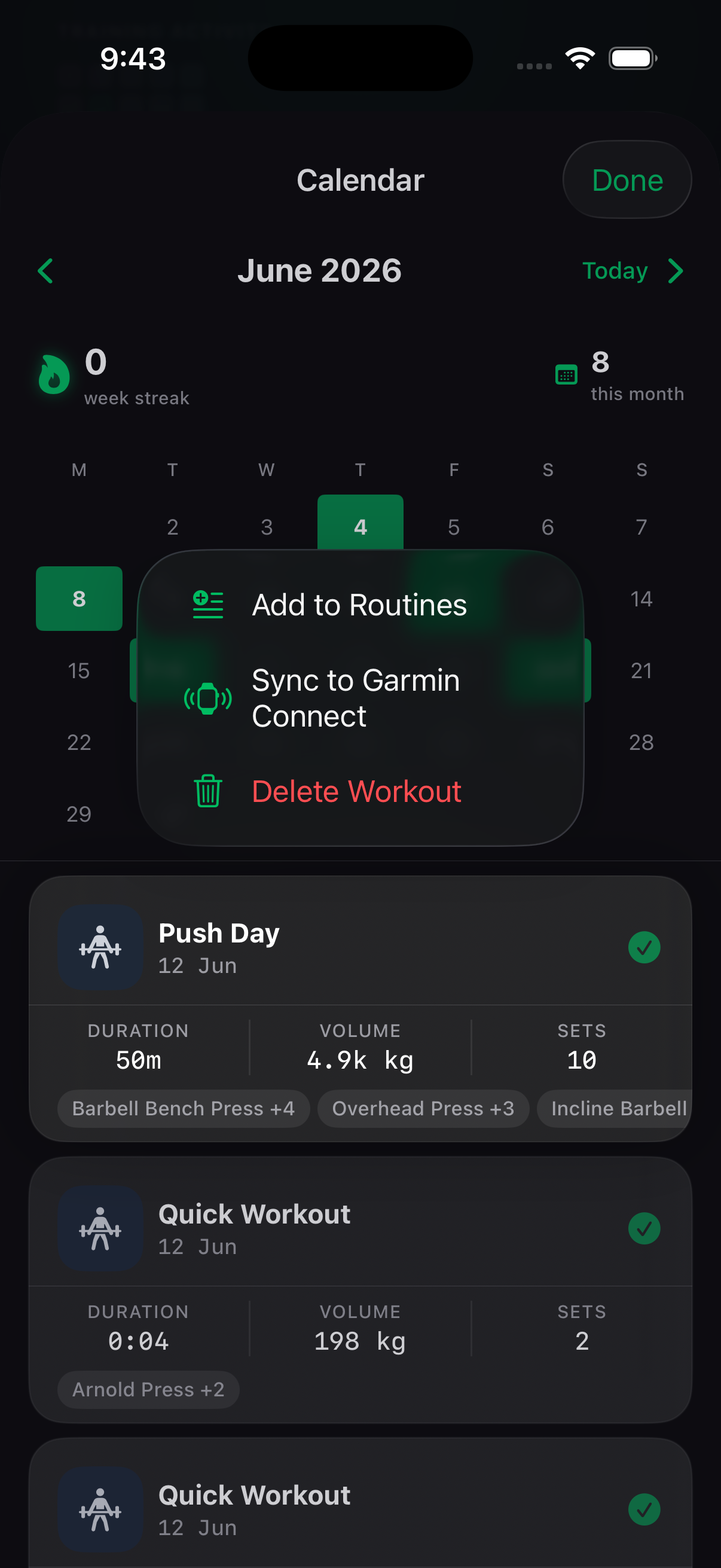
If you’ve already logged (or imported) a workout, you don’t need to build anything from scratch. In the iPhone app, open the Progress tab, open the day of a completed workout, and press and hold (long-press) the workout card. Choose “Add to Routines.”Rack turns that exact session — every exercise, set, and weight — into a reusable routine instantly. This is the quickest path for most people, and it works on imported history too.
No workouts yet?The shortcut only appears once you’ve logged or imported at least one session, so if your history is empty, skip straight to building one from scratch below. And if a search doesn’t find your exercise, try a shorter or more common name (e.g. “bench” instead of “barbell bench press”), or add it as a custom exercise.
Build One From Scratch (Web)
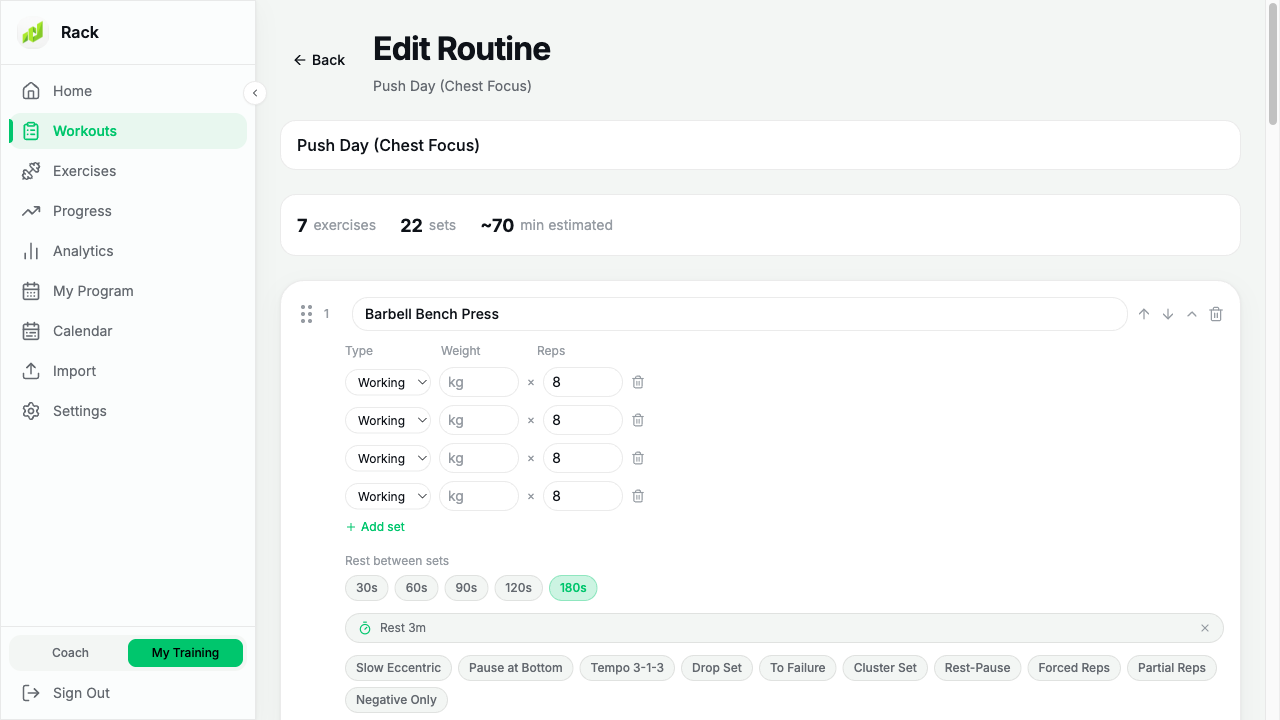
For full control, the big screen is easiest. At rackstrength.com, open My Program (or Workouts) and click New Routine. Then:
- Give the routine a name (e.g. “Push Day”).
- Click Add Exercise and search for each movement.
- For each exercise, set the target sets, and the reps and weight per set.
- To make a superset, link two exercises so they run back-to-back with one rest after the pair. On iPhone that’s the …menu on an exercise card → “Link with exercise below.” See the iPhone guidefor the walkthrough, including why that option sometimes isn’t there.
- Set the rest between sets, then click Save.
You can also build a routine on the iPhone under the Routinestab — the steps are the same, just on a smaller screen.
It Syncs Everywhere
However you create it, a saved routine syncs automatically to your iPhone and your Garmin watch. On the watch it shows up under Program, ready to start with no phone needed — see the Garmin watch guide.
Ready to string routines into a multi-week plan? See Build Your First Program.
Still Stuck?
Email support@rackstrength.comand we’ll help you build your first routine.