
Build Your First Program in Rack
Turn your routines into a multi-week plan on iPhone. In the Routines tab, name your program, set the cycle and duration, schedule a routine on each training day, and save it as your active program.
A programis a multi-week training plan: it schedules your routines across a repeating cycle and tracks which week you’re on. Where a routine is a single workout, a program strings your workouts together over time so you always know what’s on today. You build your own program on the iPhone, in the Routines tab. About 4 minutes.
Before You Start
- Build your routines first. A program is a schedule of routines, so have at least one saved. New to that? See Create Your First Routine.
- Program building lives in the iPhone app, under the Routines tab.
Note: this is your ownprogram. If a coach trains you, they can assign you a program instead — that shows up as your active program without you building anything.
1. Open the Program Builder
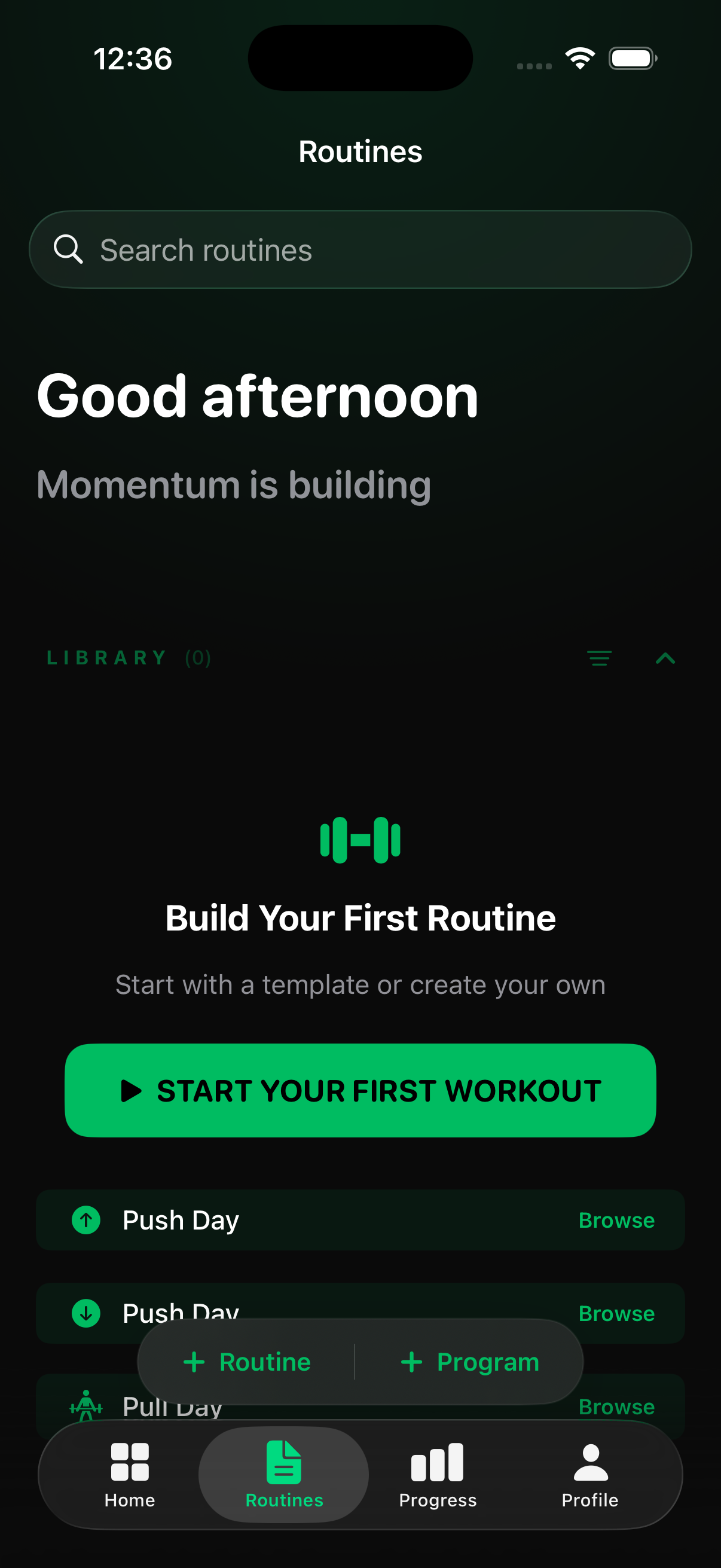
Go to the Routines tab and tap + Program (in the pill at the bottom), then choose Create Program. This opens the New Program builder as a form you fill top to bottom.
2. Name It and Set the Cycle
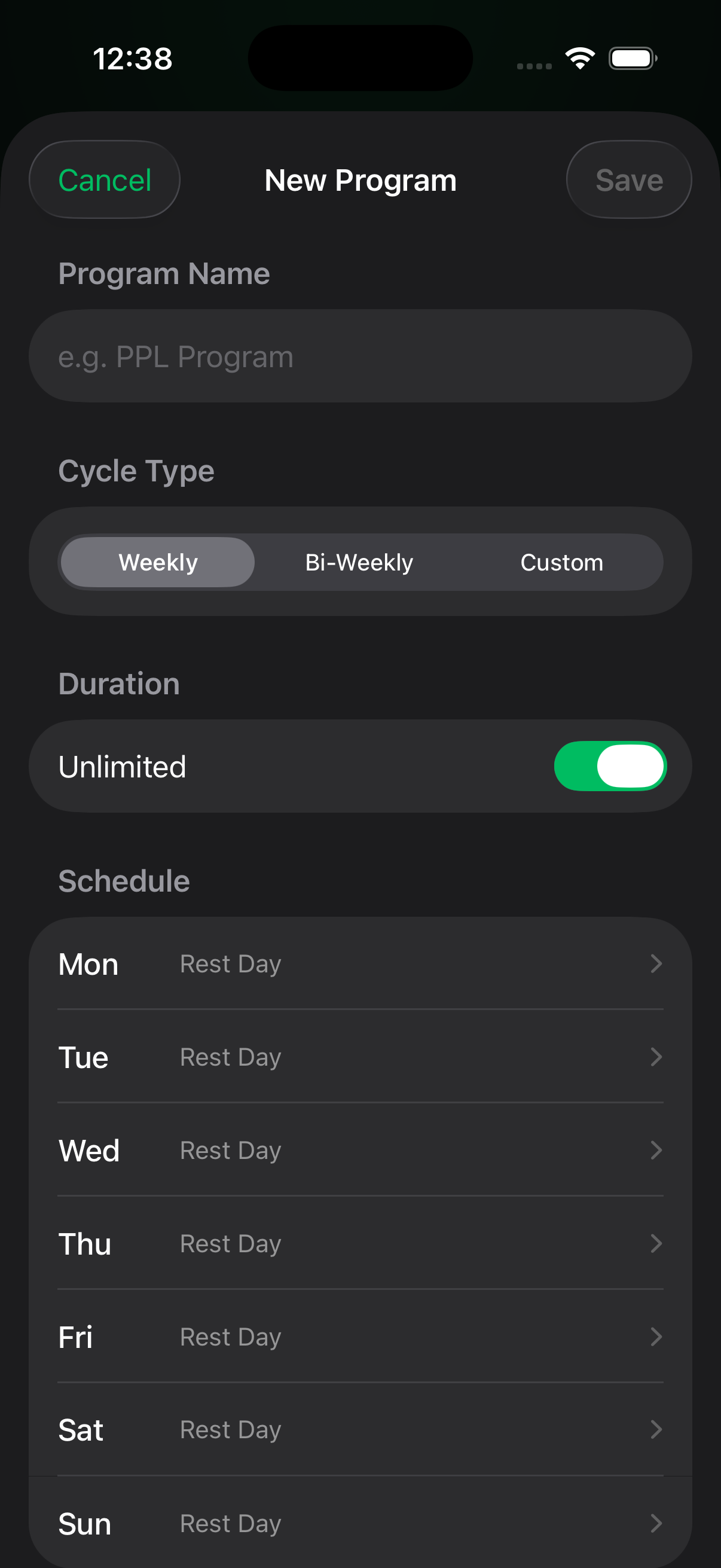
- Name— e.g. “Upper/Lower Split.”
- Cycle type — how the schedule repeats: Weekly (a 7-day pattern, the usual choice), Bi-Weekly, or Customfor a split that isn’t a standard week.
- Duration — turn on Unlimited to run indefinitely, or turn it off and set how many weeks the program lasts.
3. Schedule Your Routines
In the Schedule section (every day starts as a Rest Day), tap a dayand pick which routine you’ll do — you can add more than one session to a day. Leave the days you rest as Rest Day. This pattern is what repeats through the whole program.
4. Save It
Tap Save in the top-right corner to finish. Your program becomes your active program, and Rack schedules your routines day by day and tracks your current weekas you train, so your Home screen and watch always show what’s next.
If Something Looks Off
- No routines to add? Build one first (Create Your First Routine), then come back — the schedule picks from your saved routines.
- Want to change it later? Open the program from the Routines tab to edit the schedule, duration, or name any time.
Still Stuck?
Email support@rackstrength.comand we’ll help you plan your first block.