
Import From Other Apps
Bring your history from Hevy, Strong, or Fitbod so your PRs and past sessions come with you. Export from the other app, then import on iPhone or on the web, and turn those sessions into routines.
Switching from another app? Bring your history with you so your PRs, volume, and past sessions are all there from day one. Rack imports from Hevy, Strong, Fitbod, and its own XLSX format, and auto-detects which one your file is. You can do it on your iPhone or on the web. About 4 minutes.
1. Export From the Other App First
The file has to come out of your current app before Rack can read it. Each has an export option in its own settings:
- Hevy — Settings → Export & Backup Data.
- Strong — Settings → Export Data (CSV).
- Fitbod — Settings → Export Workout Data.
Save the file somewhere Rack can reach it — Files / iCloud Drive on iPhone, or your Downloads folder on a computer.
2a. Import on iPhone
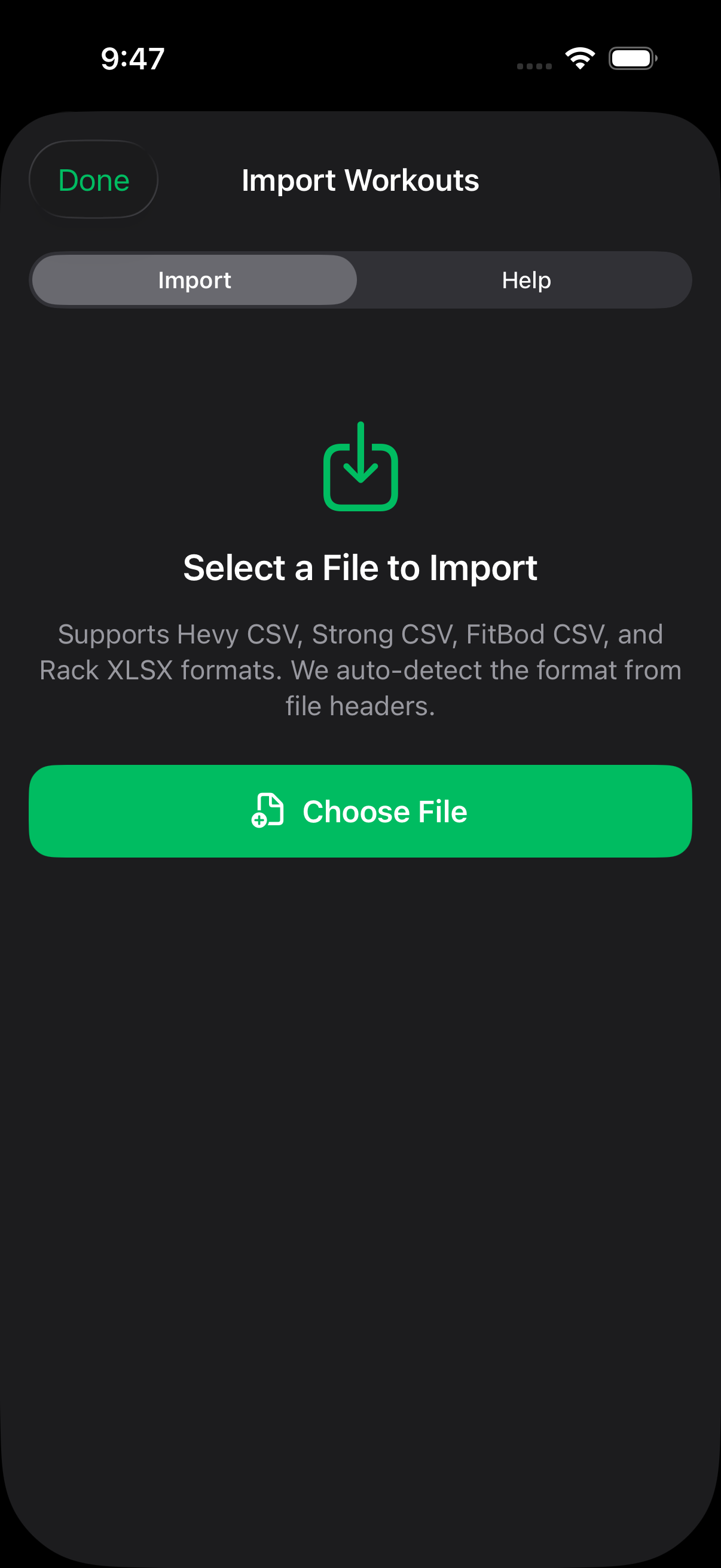
In Rack, go to Profile → Settings → Sync & Backup → Data & Export → “Import from Other Apps.” Pick your exported file. Rack detects the format automatically and pulls your sessions in.
2b. Import on the Web
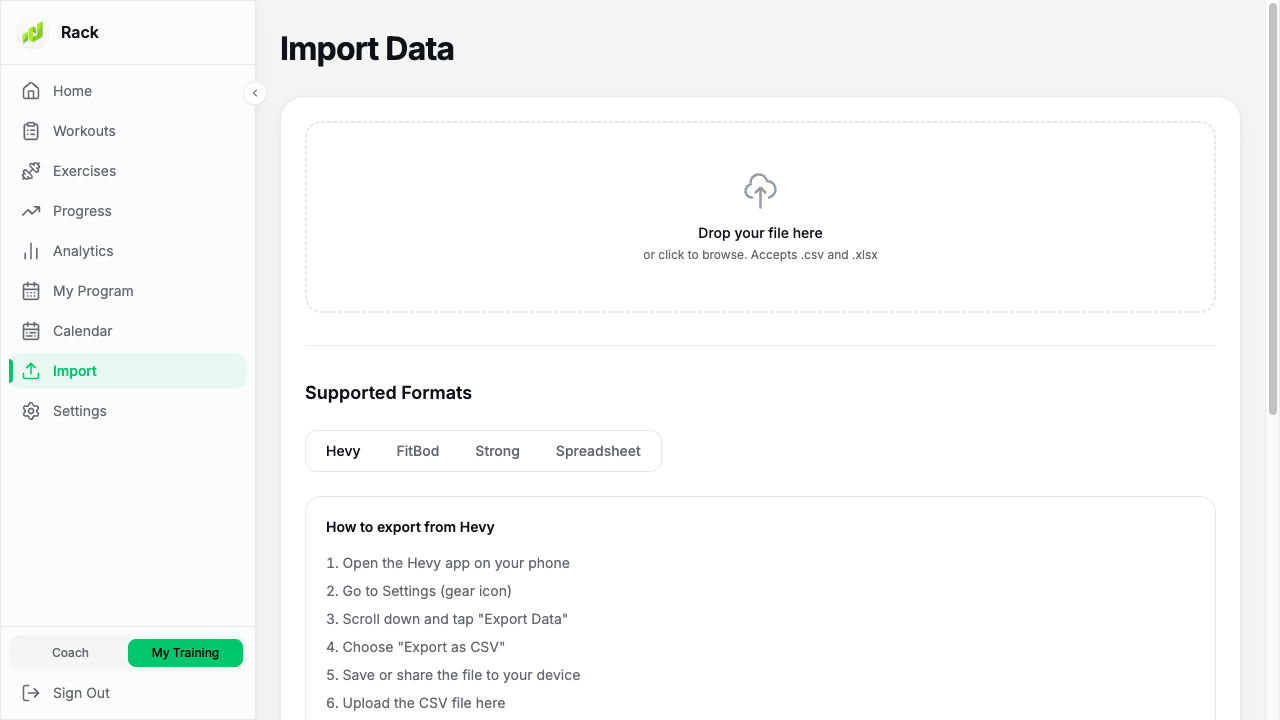
Prefer the big screen? Sign in at rackstrength.com, open Import in the sidebar, and drop your file in. Same formats, same auto-detection — and because your account syncs, an import done on the web shows up on your phone too.
3. Turn Your History Into Routines
Once your sessions land, you don’t have to rebuild your routines by hand. On iPhone, long-press any imported workout on the Progress tab and choose Add to Routines — see Create Your First Routine.
If Nothing Shows Up
- Make sure you selected the export filefrom the other app — not a screenshot or the app icon.
- Large histories can take a minute. On iPhone, pull down on the Progress tab to refresh.
- Still empty? Email us the file and we’ll take a look.
Still Stuck?
Email support@rackstrength.comwith your export file attached and we’ll sort it out.